iPhone and iPad
Chess clock app for iPhone and iPad
Chess Timer on iOS is a clock and nothing else: no account, no feed, no notifications. Open it, pick a control, and put the phone between you.
- Universal — the same app on iPhone and iPad, with the iPad layout giving you a clock the size of a real one
- Eleven presets plus custom time and Fischer increment, saved on the device
- Sixteen themes and four fonts, including a very dark Minimal theme for OLED screens
- Works in aeroplane mode; no account and nothing synced anywhere
- Free on the App Store
An iPad makes a genuinely good chess clock
Laid flat between two players, an iPad gives you digits the size of a hardware clock's and tap zones you cannot miss. It is the closest a screen gets to the real thing, and it costs nothing if you already own one.
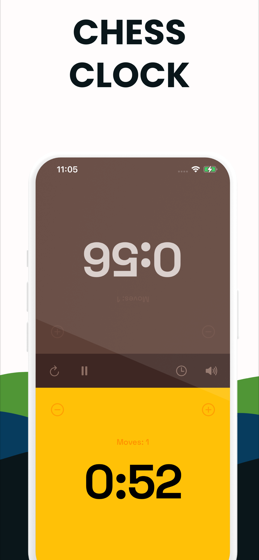
On an iPhone the same layout works in portrait, with each player owning half the screen. The top half is rotated so it reads correctly from across the board.
What you get
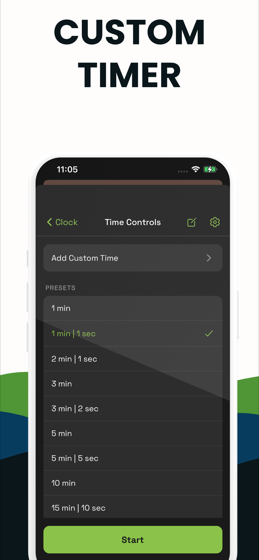
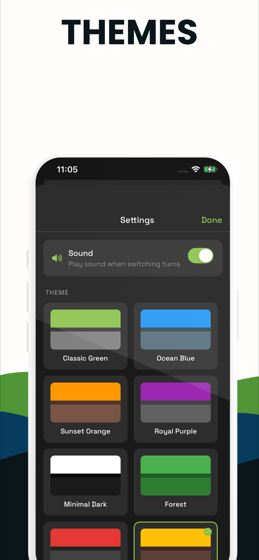
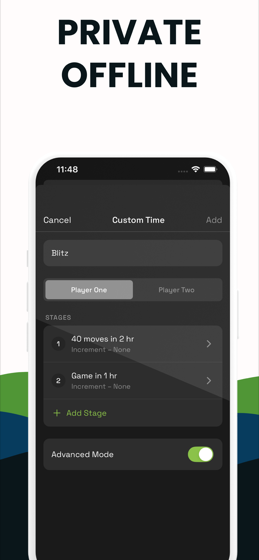
Eleven presets — 1 min, 1|1, 2|1, 3 min, 3|2, 5 min, 5|5, 10 min, 15|10, 20 min, 30 min — plus a custom builder for anything else, with a name so you can find it again. Sixteen themes, four display fonts, sound on the press, per-side move counters, and ±10s buttons for correcting a clock mid-game.
Be aware of the limits
The app plays Fischer increment and single-stage controls. It has no delay mode and does not play multi-stage tournament controls. It is free to download with a premium unlock after a few starts.
If what you need is a delay control or a real 90+30 with a second period, the free web clock on this site does both, and it works offline once the page has loaded.
iOS specifics
Chess Timer is a universal app for iPhone and iPad and supports both light and dark system appearances. It requires no permissions at all — no camera, no microphone, no location, no contacts — because a clock does not need any of them.
Try before you install
Try it here before you go to the App Store
The web build below behaves the same way. Tap a half, watch the other clock start, and see whether the layout suits you.
The app
Chess Timer on iPhone
The clock mid-game, the preset list, the theme picker and the custom time editor, all captured on iPhone.
FAQ
Before you download
Is there a free chess clock app for iPhone?
Chess Timer is free to download on the App Store, with a premium unlock that appears after a few starts. If you want a clock with no limit at all, the web clock on this site is free and unlimited.
Does it work on iPad?
Yes — it is a universal app, and an iPad laid flat between two players is one of the better chess clocks you can improvise. The digits scale to the screen.
Does the iPhone app work without internet?
Completely. It never contacts a server to run a clock, so aeroplane mode changes nothing. There is no account and nothing is synced.