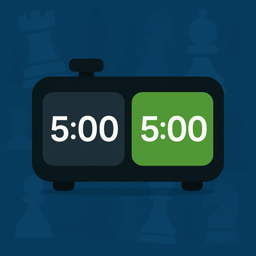
Chess clock for two players on one device
One phone, one tablet or one laptop between two people at a real board. Each player owns the half nearest them, the far half is upside down on purpose, and neither of you has to install anything.
Nothing leaves this tab. The clock is JavaScript running on your own device. No account, no upload, no ads, no time limit — and once the page has loaded it keeps working with the Wi-Fi off.
What this clock does
It reads from across the board
The top half is rotated 180 degrees, so your opponent sees their own numbers the right way up. If you are both sitting on the same side, turn the flip off in settings.
Name yourselves
Open settings and put your names on the two halves. Handy in a club when three boards are running off three borrowed phones.
The screen will not sleep
While a game is live the clock holds a wake lock, so the device does not lock itself mid-game and lose your position on the clock.
Why one device works better than two
A chess clock has always been one object with two faces, because the whole point is that exactly one clock runs at a time. Two phones running two stopwatches cannot do that — somebody always presses a fraction late, and by move twenty the numbers have quietly drifted apart.
Putting one device between you restores the original design. Press your own half and your time stops in the same instant your opponent's starts. There is no gap to argue about.
Setting it up at the board
- Decide the time control before the first move. Ten minutes each is the safe default for a casual game; tap the clock icon to change it.
- Lay the device flat on the table, to the side of the board, with the long edge facing you both. Portrait on a phone, landscape on a laptop.
- Check that each of you can reach your own half without leaning across the board.
- Black presses to start White's clock, or in a friendly game White simply makes the first move and presses.
Reading it from the wrong side of the table
Upside-down digits are genuinely hard to read at speed, which is why every physical chess clock has two separate faces. This one rotates the top half so the player opposite you sees a normal clock. It is not decoration; it is the difference between glancing at your time and squinting at it.
If the two of you are sitting side by side — teaching a child, say, or reviewing a game — open settings and switch the flip off so both halves read the same way.
Keeping it honest
Two things ruin a shared-device clock, and both are handled here. The first is the screen going to sleep, which this clock prevents while a game is live. The second is the browser throttling a background tab: if you switch away, the clock pauses rather than pretending to keep time it cannot measure. Come back and press play.
The third, which no software can fix, is the accidental double tap. Only the player on move can press, so a nervous tap from the waiting player does nothing at all.
Read next
Guides that go with this clock
How to use a chess clock
Who presses first, which hand to use, when to press, and what happens when a flag falls. The whole thing, once, properly.
Read it RulesWhich hand presses the clock?
The same one you moved with — and it is a real rule, not etiquette. Why it exists and what happens if you break it.
Read it RulesWhich side does the clock go on?
Black's right, by convention — and the arbiter's call in a FIDE event. Plus where a phone goes instead.
Read itFAQ
Questions about this clock
Can two people really share one phone as a chess clock?
Yes. That is the normal way to use a phone as a chess clock: it lies flat between the players, each of you taps the half nearest you, and only the side on move can stop their own clock. It behaves exactly like a two-faced physical clock.
Will my phone lock itself in the middle of a game?
Not while a game is running. The clock asks the browser to hold the screen awake, and releases it as soon as a flag falls or you pause. On the rare browser that refuses, tap the screen occasionally or raise your device's own sleep timeout.
What if we are sitting on the same side of the table?
Open settings and switch off the flip. Both halves will then read the right way up from the same direction, which is what you want when you are teaching or analysing together.
Free, in your browser
Other clocks on this site
Same engine underneath, set up for a different game. Pick the one that matches what is on the table.
Increment clock
Any base time plus Fischer seconds per move, with the added time flashing on screen so you can see the increment doing its job.
Open it DelayDelay clock
Simple US delay and Bronstein, both implemented properly — not faked with increment. Set G/30 d5 in one tap.
Open it BlitzBlitz timer
Preloaded with 3|2 and the rest of the blitz family, with tenths under the wire and a beep through the last ten seconds.
Open it BulletBullet timer
One-minute games with tenths showing from the very first second and presses that register the instant your finger lands.
Open it RapidRapid timer
10|0, 15|10 and the rest of the rapid family, with a live estimate of the longest a game can run so you can plan a round.
Open it Multi-stageTournament clock
Real multi-stage controls. Reach move 40 and the next period is added to the time you saved, exactly as a hardware clock does.
Open it OfflineOffline clock
Load the page once and turn the network off. Nothing about your game is uploaded, because there is nowhere for it to go.
Open it Any gameBoard game timer
The same clock, pointed at any two-player game. Give each side a time bank and stop one player thinking the evening away.
Open it