How to use a chess clock
A chess clock is two countdown timers in one case, wired so that only one of them can run at a time. Learning how to use a chess clock takes about a minute: set the same starting time for both players, make your move on the board, then press your own button. Pressing stops your timer and starts your opponent’s. Repeat until the game ends or somebody’s time reaches zero.
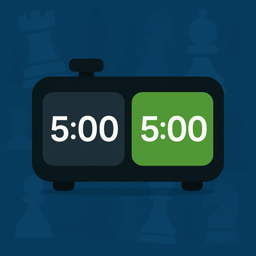
One detail catches most people out. The opening press on the chess clock on the front page starts the opponent’s clock, not yours, because a press always hands the running time to the other side. A real tournament clock behaves the same way.
How does a chess clock work?
The FIDE Laws of Chess define a chessclock as a clock with two time displays, connected to each other in such a way that only one of them can run at a time. Whoever is on move is the one burning time. The moment you finish your move and press, your display freezes and your opponent’s begins counting down.
Under Article 6.2.1 the press is what completes your move. Article 6.2.2 adds the detail that catches beginners: the gap between putting the piece down and hitting the button counts as your time, not your opponent’s.
The mechanism caps the length of the game, so a club night finishes at a predictable hour, and it turns time into a resource you spend. Thirteen minutes on one critical move is legal, but you will feel it later.
Most clocks add a bonus so you are never reduced to moving instantly. Fischer increment adds a few seconds every time you press. In simple delay, the mode the Laws describe, a fixed extra time runs down before your main time starts draining, so pressing inside the delay costs nothing. Bronstein delay reaches the same numbers by another route: your main clock runs immediately, then gives back whatever you used up to the delay amount. The two are mathematically equivalent, differing only in what the display shows mid-move. A control written as 3|2 means three minutes each plus two seconds per move, and increment explained in full covers when each system is used.
Set the time control before anyone touches a piece
Agree the time control first. Changing it halfway through means resetting, and a reset wipes both players’ remaining time. On the web clock you either tap a preset or open the custom builder and type your own minutes and increment. Both sides normally get the same figure, though uneven times make a mismatched game interesting if your clock lets you set each side separately.
Set any second stage before move one too. The web clock supports multi-stage tournament controls, so 90 minutes for 40 moves followed by 30 minutes for the rest, with 30 seconds added from move one, can be programmed as a single control. The arithmetic shows why that pairing is a common classical choice: over a 60-move game each player gets 90 + 30 minutes of base time plus 60 increments of 30 seconds, or 150 minutes — past the 120-minute minimum FIDE’s rating regulations set for a game involving a player rated 2200 or above. Both clocks together top out near five hours. Article 6.3.2 confirms that time saved in one period carries into the next, so nothing you bank is lost at the boundary.
Only the web clock plays the stages. The Chess Timer app runs Fischer increment, which covers the vast majority of games. For delay, Bronstein, or a two-stage control that actually switches stages mid-game, use the clock on this site in your browser.
How to use a chess clock: your first game, step by step
- Put the clock beside the board where both players can reach it. Article 6.5 makes placement the arbiter’s decision in a rated event; in casual play Black usually picks the side.
- Set the time control and check that both displays read the same figure.
- Start it. Article 6.6 says only that White’s clock is started at the appointed time, without naming who presses. By convention Black presses to start White’s clock; letting White simply move and press comes to the same thing.
- White makes a move on the board, releases the piece, then presses. Black’s clock starts.
- Black replies and presses. Keep alternating.
- Press firmly, once. Two taps in a row hand the move back to you and cause an argument.
- When the game ends by checkmate, resignation or agreement, stop the clock. The result is decided on the board; the clock is only the timekeeper.
Expect a few forgotten presses in the first ten minutes. Point them out, fix the time if it mattered, and carry on.
The four rules beginners get wrong
Move first, press second. The press signals that your move is complete, and Article 6.2.4 explicitly forbids pressing the clock before moving. Hitting the button while you are still deciding is not a legal way to save time.
Use the same hand for both. Article 6.2.3 requires you to press with the same hand you moved with, and forbids keeping a finger on the clock or hovering over it. Article 4.1 backs it up: each move must be played with one hand only. No moving with the left while the right waits on the button. More in which hand you press the clock with.
Do not pause because you feel like it. Article 6.11.1 puts interruptions in the arbiter’s hands, and 6.11.2 lets a player stop the clock only to seek the arbiter’s assistance — the example the Laws give is a promotion where the piece you need is not available. Stopping it without a valid reason is penalisable. Among friends, use the pause control rather than an unofficial truce.
A fallen flag does not end the game by itself. Under Article 6.8 a flag counts as fallen when the arbiter observes it or a player makes a valid claim. Your opponent’s clock hitting zero while you stare at the board wins you nothing until somebody notices.
Article 6.9 then decides what a flag fall is worth. A player who has not completed the required moves in the allotted time loses — unless the opponent cannot checkmate that player’s king by any possible series of legal moves, in which case the game is drawn. Note the test: mate has to be impossible, not merely unforceable. US Chess diverges here, treating a lone king, king and knight, king and bishop, or king and two knights against no pawns as insufficient to win on time, which draws some positions FIDE scores as a win. Either way the clock only records the flag; the result is for the players or the arbiter to settle. The full rules reference covers the claim procedure.
Correcting the clock without resetting
Somebody forgets to press for three moves, or the clock gets started on the wrong side. The web clock gives you per-side +10s and −10s buttons, so you can restore lost time without resetting the game. The Laws work the same way in spirit: under Article 6.10.2, if a clock is found to be set incorrectly, either player or the arbiter stops it at once and the arbiter installs the correct setting. In a rated event the adjustment is the arbiter’s call; in a friendly game, agree it before pressing on.
Which time control suits you
| Control | Base + 60 × increment | FIDE category | Who it suits |
|---|---|---|---|
| 1|0 | 1 min | Blitz | Called bullet online, though FIDE has no such category. Too fast for learning. |
| 3|2 | 5 min | Blitz | The friendliest fast control. The two-second bonus blunts pure button speed. |
| 5|5 | 10 min | Blitz | Exactly on the top of the blitz band, and plays far longer than it looks. |
| 10|0 | 10 min | Blitz | The standard casual game. Most players call it rapid; FIDE’s line puts a flat ten minutes in blitz. |
| 15|10 | 25 min | Rapid | Real thinking time with a safety net. Common at amateur rapid events. |
| 30|0 | 30 min | Rapid | The classic club game. Slow enough to calculate, short enough for two rounds. |
FIDE draws its lines by that middle column. Appendix B makes a game blitz when the allotted time plus 60 times the increment is ten minutes or less; Appendix A makes it rapid when the same sum is more than ten and less than sixty. Sixty and up is classical. If you are learning, start at 15|10 and speed up once pressing has stopped requiring conscious thought.
Start a game now
Open the clock on this site, tap a preset, and set your phone or laptop between you and your opponent. It runs in the browser and needs no account. For a home-screen icon, the same clock is on the App Store for iPhone and on Google Play for Android. The app is free to download and offers a premium unlock after the first three start or pause actions.